DOTA 2 / STREAMER TOOL
Xiafan Radar.
Turn a streamer’s own match data into live overlays, event popups and post-match summaries.
GitHub project (private) ↗The source and test installer are in a private repository and require access. This site presents the project’s progress.
Who it helps
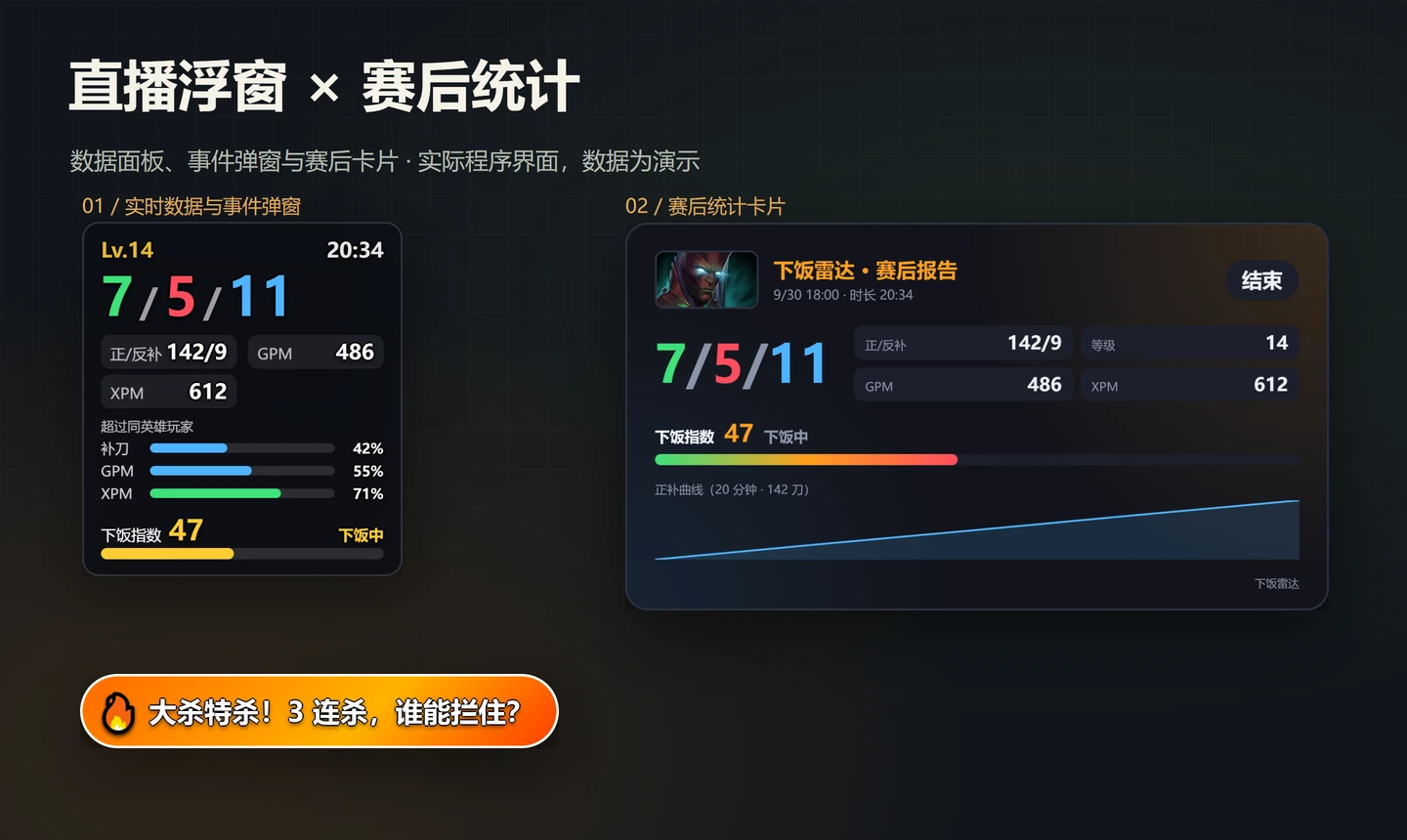
Keep the streamer focused on playing while the audience sees changing stats, playful reactions to mistakes and praise for highlights. A sidebar provides previews, sensitive-information controls, popup intensity and post-match reports. The overlay can be used as an OBS browser source.
What works today
Implemented features include game connection, phase and event detection, three commentary styles, popup throttling, OpenDota same-hero baselines, the blunder index, match timelines, post-match cards and image export. AI commentary currently uses the signed-in local Codex CLI. A model service for other streamers is still pending.
Version 0.1.1 progress · September 30, 2026
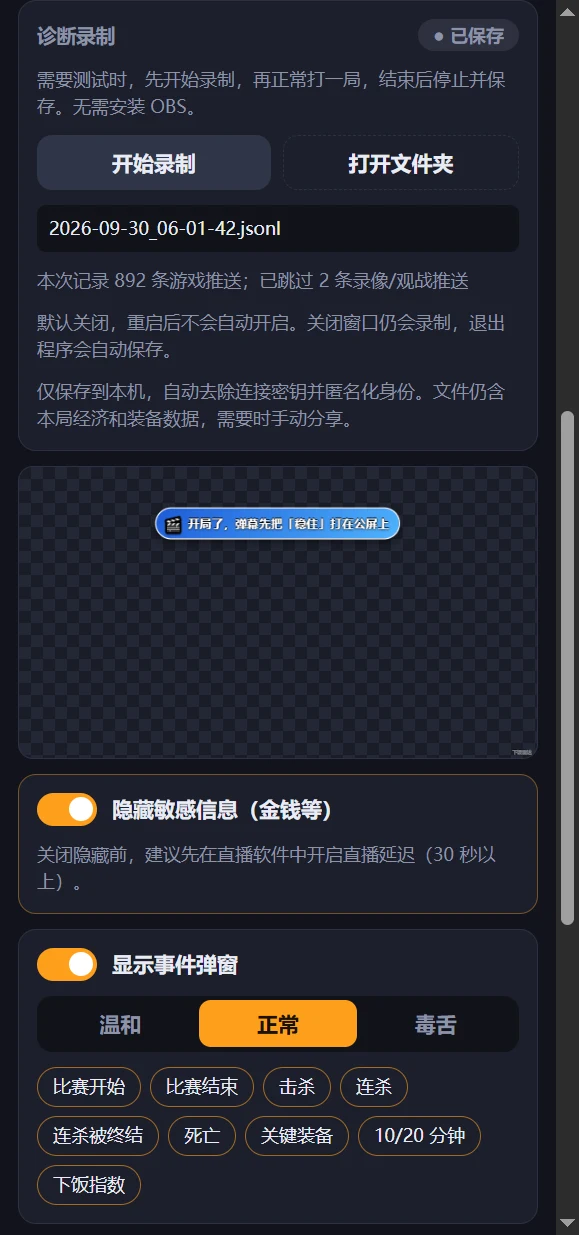
The setup wizard can find the Dota folder automatically or accept a manual selection, write and back up connection configuration, and run a connection check. The app supports a system-tray presence and a Windows x64 installer. This version adds diagnostic recording, off by default, with start, stop and open-folder controls in the console. The built-in preview can capture a real match before OBS is configured.
Data and privacy
Only the player’s own official GSI data is processed. The app does not read game memory or fetch teammates’ or opponents’ records. Sensitive information is hidden by default. Diagnostic recordings remove connection credentials, anonymize identity fields and skip recognized spectator updates. Match records and diagnostics stay on the local computer and are not uploaded automatically.
Verification
Type checks, linting and 146 unit tests pass. Real Electron automation covers recording controls, saving and replaying 892 phase samples, permission boundaries and saving on exit. The packaged app passes startup, page-resource, WebSocket, SQLite, exit and restart checks. Images come from automated verification and do not replace acceptance testing with complete real matches.
Next steps
Collect at least three complete real matches and check events, the index and post-match results. Run OBS integration checks, manually verify installation and removal, and test whether a first-time user can finish setup in five minutes. AI reports currently take about 20 seconds and need to be faster. The version is in internal testing; streamer trials are still pending.
A closer look